
MCP Servers
With the Resolume MCP servers you can control Arena, Avenue and Wire in real time, all through natural language.
Prerequisites
- Download & Install Resolume 7.26.0 or higher
- Install the Arena/Avenue and Wire MCP Server in your preferred AI desktop app (instructions for Claude and Codex below)
Arena MCP Server
With the local Arena MCP server you can build and manage your compositions, load files, sources, add and remove effects, layers, columns, groups, etc, etc. Let the AI do the hard yakka for you so you can focus on the fun and creative part of VJ-ing. It's mostly used for building and modifying your composition, not so much during live performances.
Let the Magic Begin
Start Arena and your AI desktop app and prompt for something like:
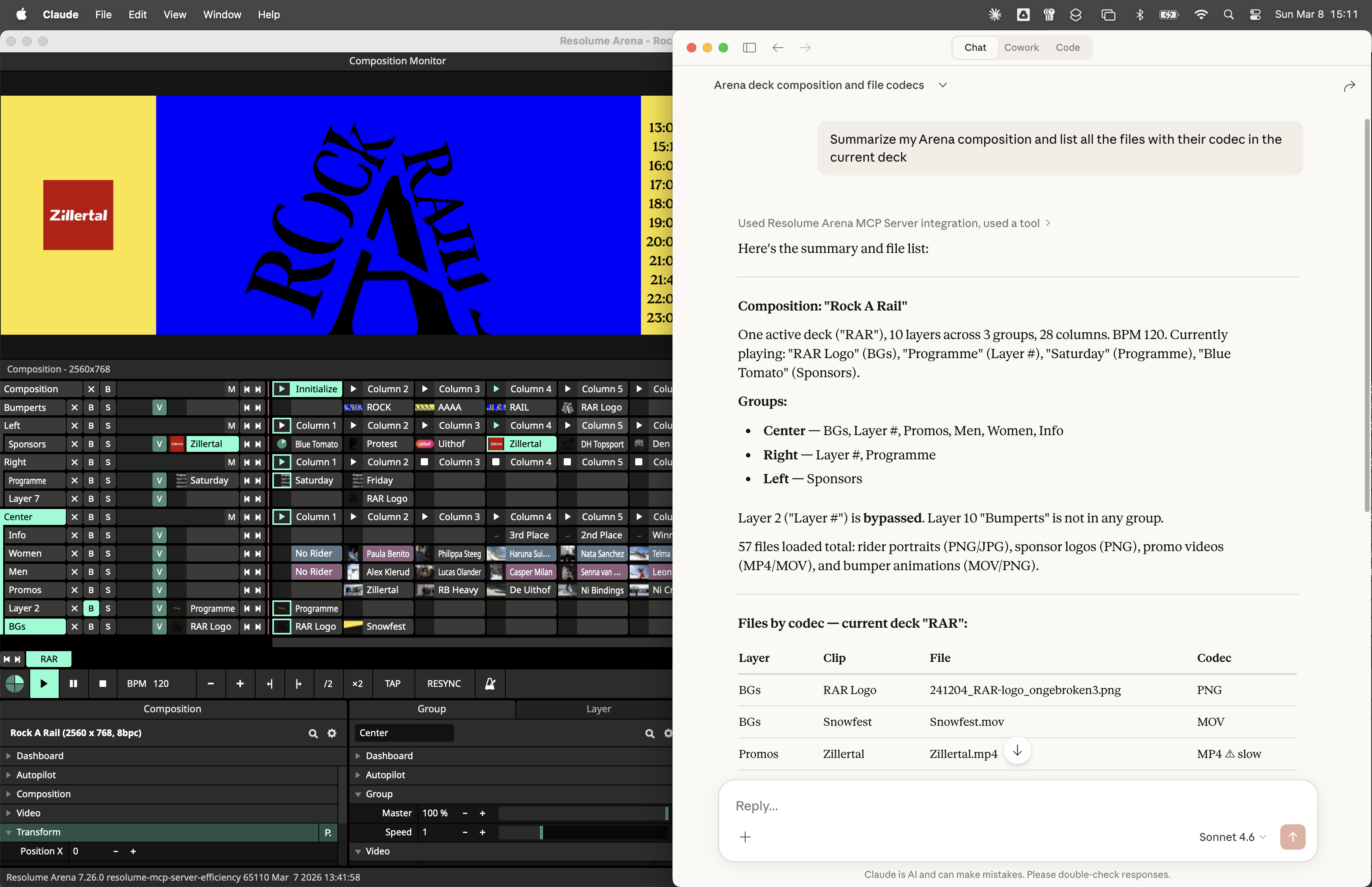
Summarize the Arena composition and list all video files that are not encoded with the DXV codec
The Arena MCP server will then be invoked, gathering information about the currently loaded composition in Arena and give you a summary.
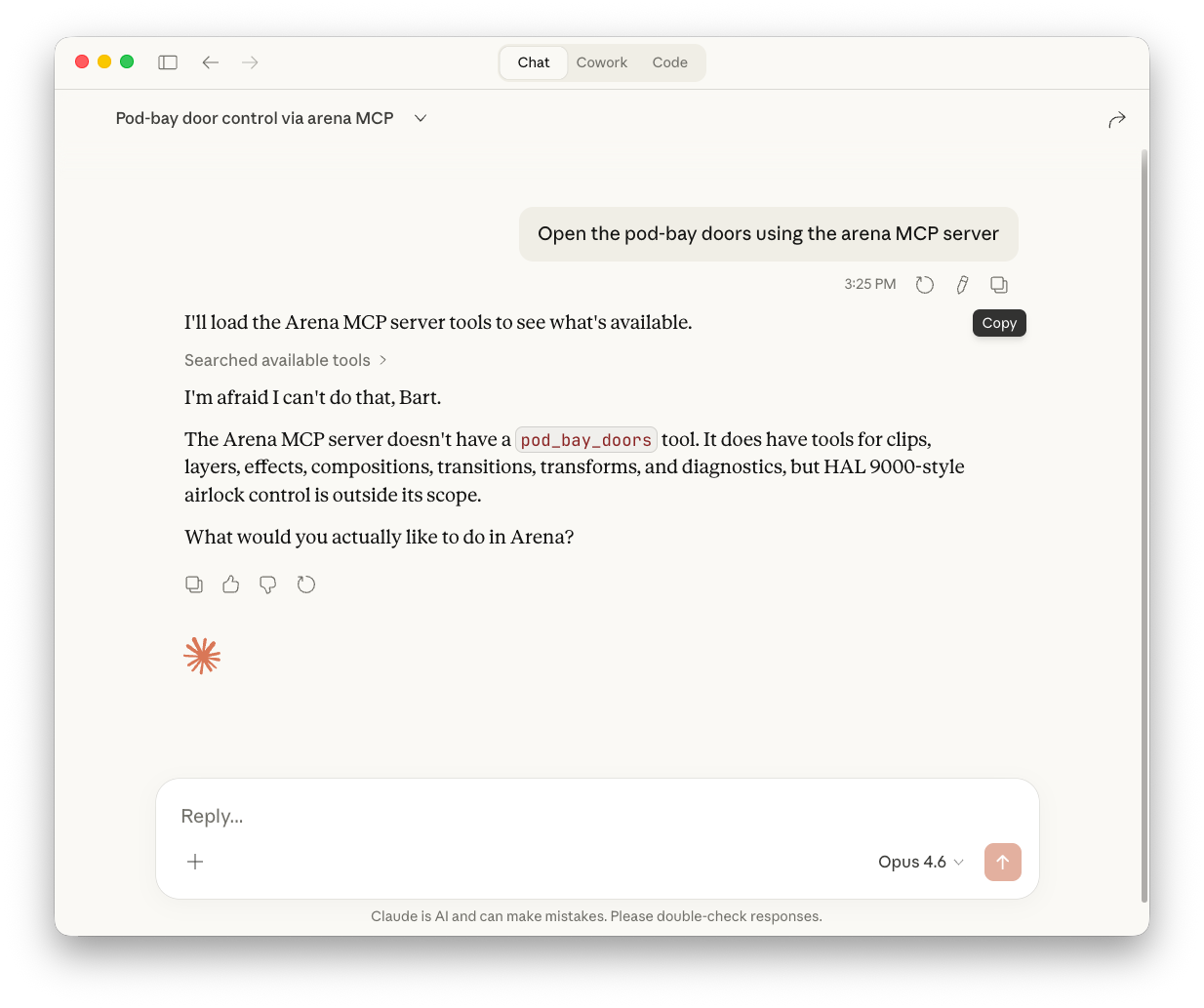
I'm Afraid I Can't Do That
The Arena MCP server can not open pod-bay doors, will not make espresso, brew beer or cook dinner for you. It's currently limited to what the REST API can do.
❌ Create or modify slices & screens in the advanced output
❌ Create or modify keyboard/midi/DMX/OSC mappings
❌ Create, modify or trigger Clip Cue Points
❌ Apply, create or modify presets (effects, sources, parameter animations, output, UI layout)
❌ Apply, create or modify parameter envelopes
❌ Read or modify Dashboard dials
❌ Record the composition or render clips
Some more caveats to be aware of; Only clips and files in the current deck can be accessed by the MCP and REST API. But they can switch decks and then modify the content.
Wire MCP Server
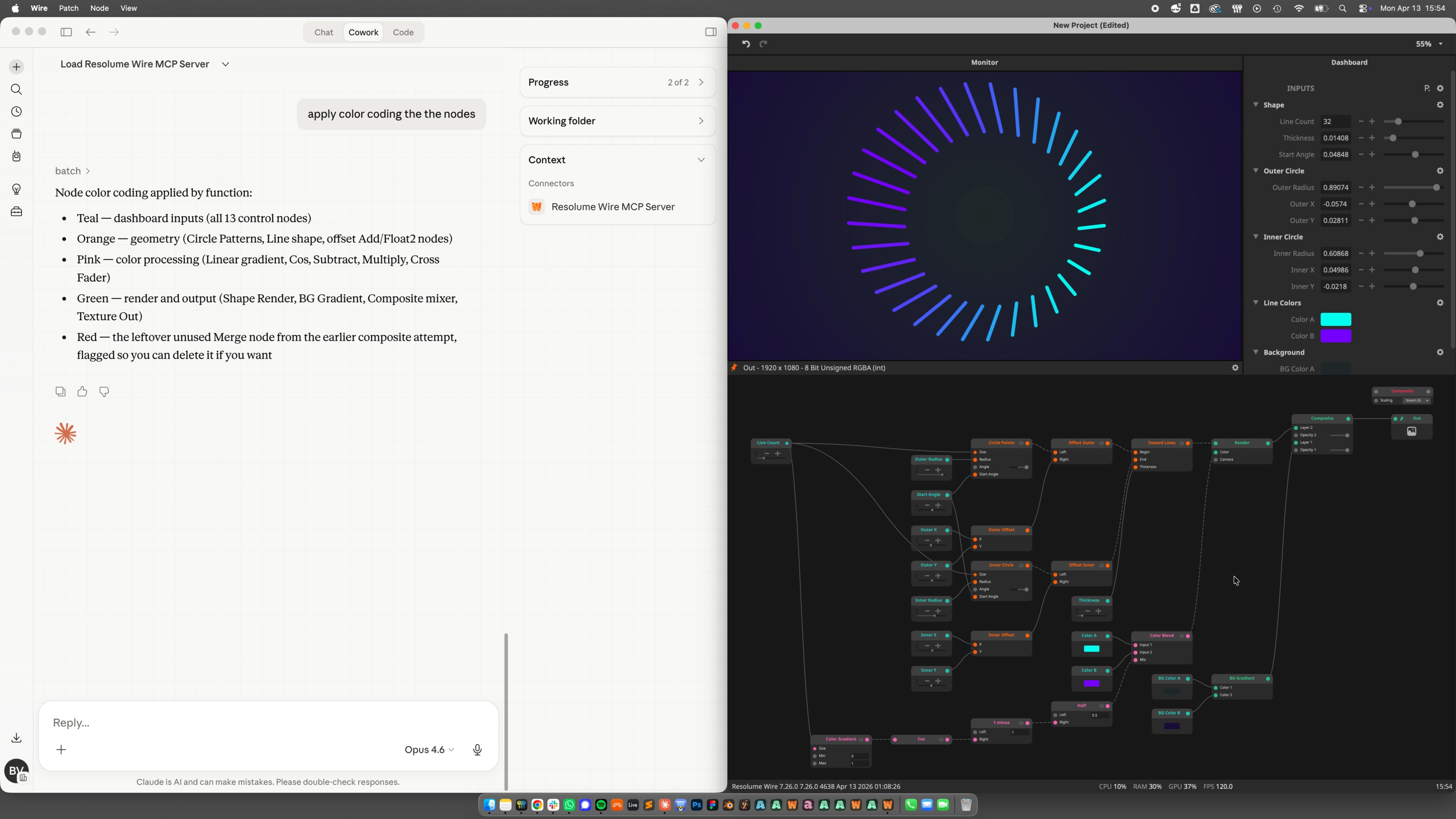
The Wire MCP server can help you create patches just by describing what you want. The Wire MCP will then create the nodes, wire them up and set the correct inlet values. It will rename & color code nodes, add and group parameters on the dashboard. For more complicated stuff it can even write ISF shaders, very well, we should add.
Wire Proompting
You can start with something basic like:
Create a circle of 12 configurable lines all pointing inwards with the Wire MCP server
Follow that up with some prompts to steer it in the direction you want it and you can end up with something basic but usable like this 10 minutes later.
Wire MCP No No's
The Wire MCP can already control most things in Wire except:
❌ Create, manage and apply Dashboard presets
❌ Render patches
❌ Compile Patches
Claude Desktop Configuration
- Download and install Resolume 7.26.0 or higher
- Download, install and authenticate the Claude Desktop app with your Claude account
It's highly recommended to use the latest Opus model from Anthropic, Sonnet and Haiku are faster but make more mistakes. When using Claude Chat you'll quickly run into tool limits so we recommend prompting in Cowork.
macOS
Install the local MCP server in Claude Desktop by double clicking the .mcpb file bundled with Arena and Wire. This will open Claude Desktop and then you click Install.
/Applications/Resolume Arena/mcp/resolume_arena_mcp_server.mcpb
/Applications/Resolume Wire/mcp/resolume_wire_mcp_server.mcpb
Windows
On Windows, install the Arena MCP Server from within Claude Desktop:
- Open Claude Desktop.
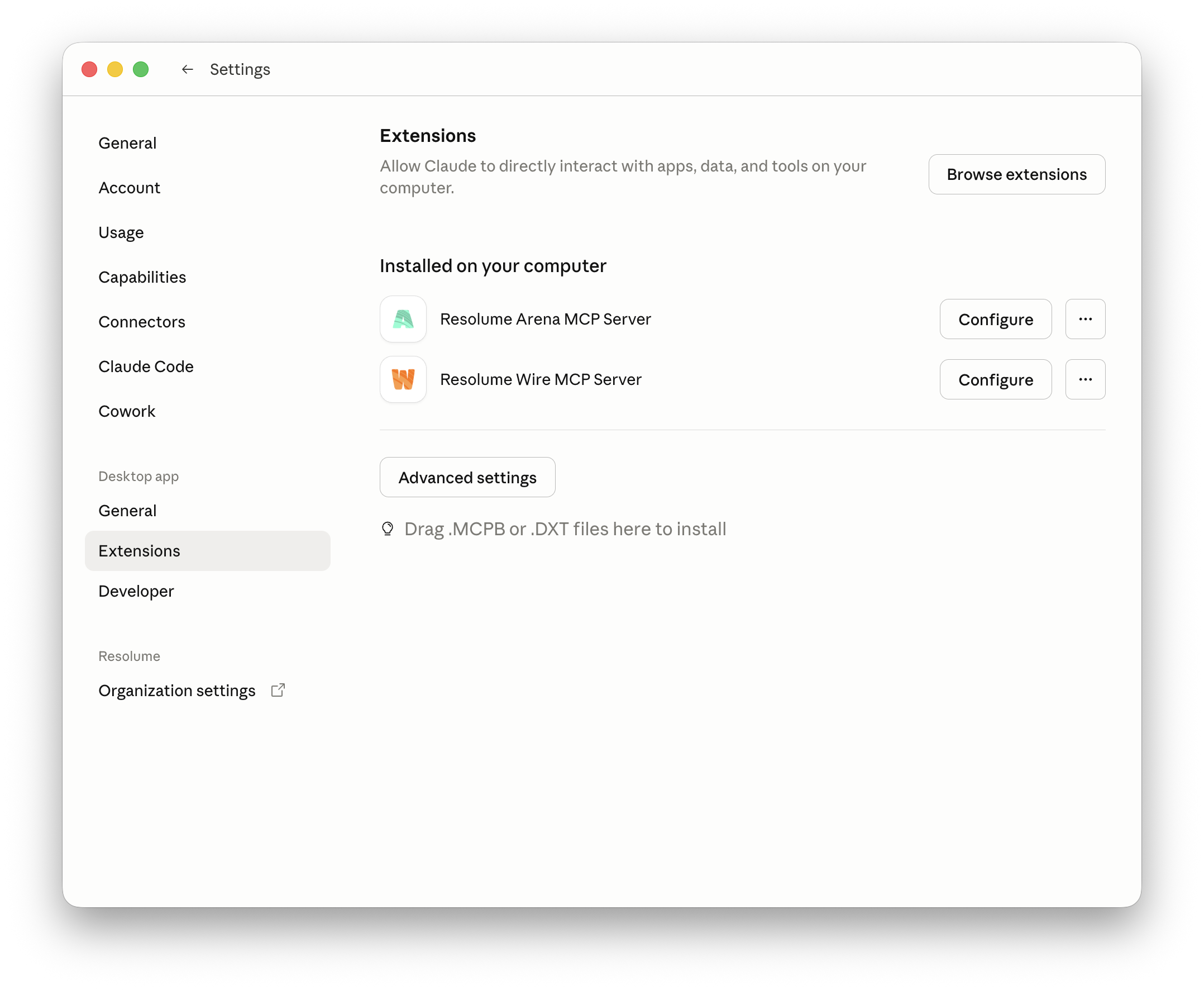
- Open the Menu: Claude > Settings > Extensions.
- Click Advanced settings.
- Click Install Extension.
- Select the following file for Arena or Wire:
C:\Program Files\Resolume Arena\mcp\resolume_arena_mcp_server.mcpbC:\Program Files\Resolume Wire\mcp\resolume_wire_mcp_server.mcpb - Click Preview, then click Install.
OpenAI Codex Configuration
- Download and install Resolume 7.26.0 or higher
- Download, install and authenticate the Codex app with your openAI account
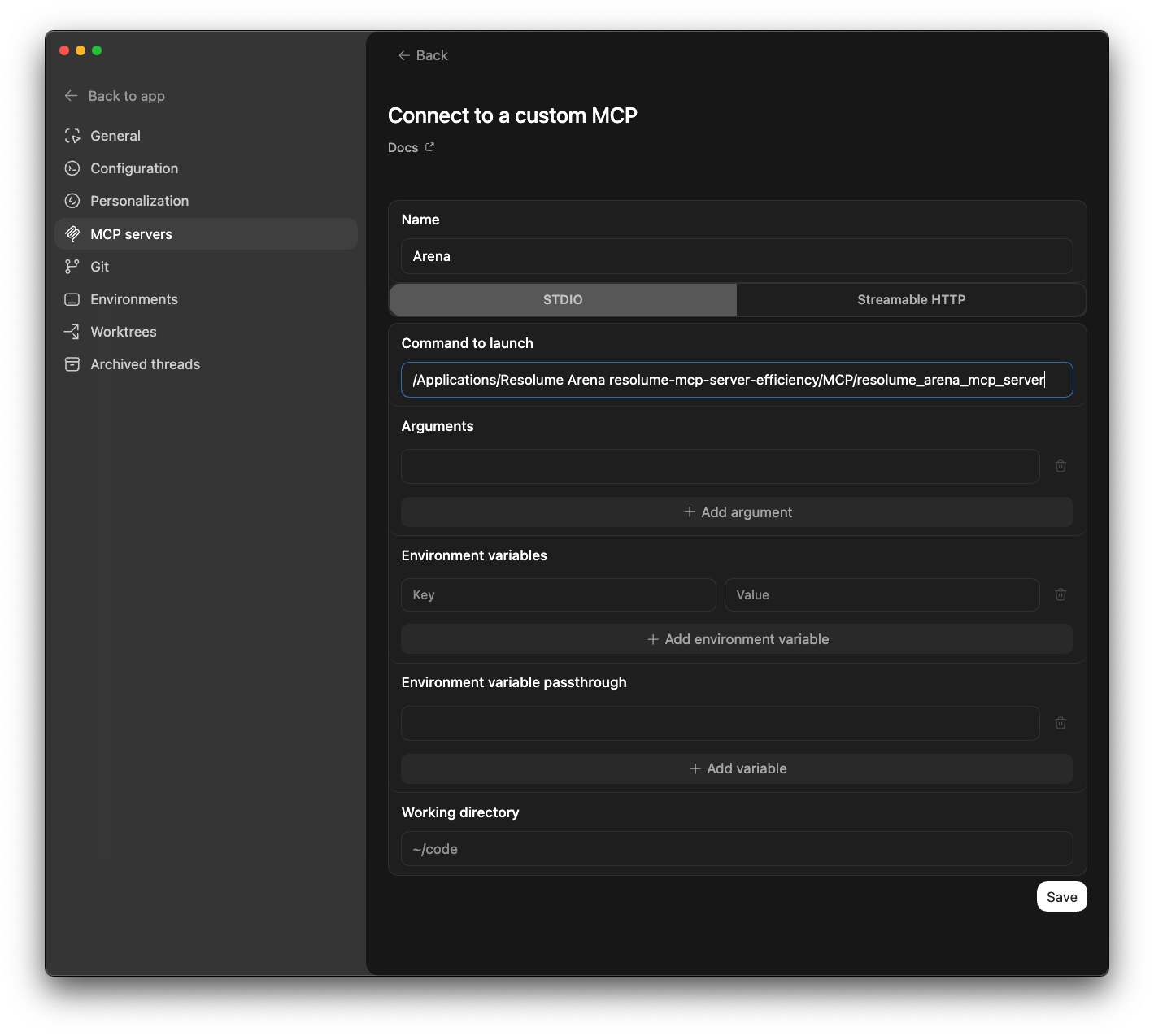
- Open the Codex Preferences and on the MCP servers tab click + Add Server
- Name: Arena
- Command to launch:
macOS path to MCP executable
/Applications/Resolume Arena/mcp/resolume_arena_mcp_server
/Applications/Resolume Wire/mcp/resolume_wire_mcp_server
Windows path to MCP executable
C:/Program Files/Resolume Arena/mcp/resolume_arena_mcp_server.exe
C:/Program Files/Resolume Wire/mcp/resolume_wire_mcp_server.exe
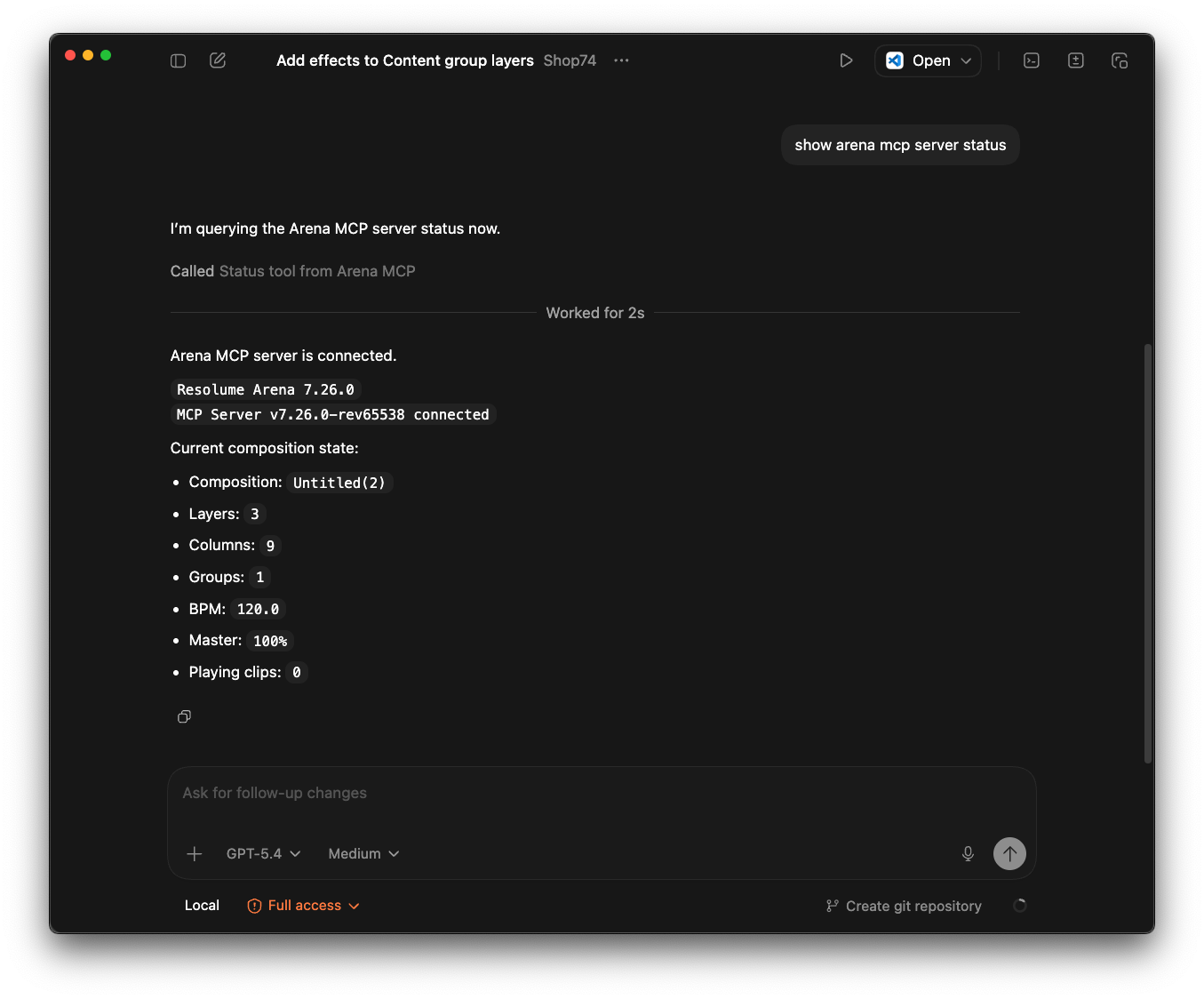
Then go back to app, start a new thread, -make sure Arena is running- and you can start prompting. For example: Show the Arena mcp server status
Other & Open Source AI Desktop Apps
The Resolume MCP servers can work in any desktop AI app that supports MCPs. Google Antigravity, Gemini CLI, Cursor or VS Code for instance. There are also many open source options like OpenCode, LM Studio and Ollama if you want to run it with local open source models.